
Worship Lyrics Sync for Church Media Teams (2026)
The Worship Lyrics Sync Problem
Worship lyrics sync is the process of aligning song lyrics to audio so each line displays at the exact moment it is sung — for projection screens, livestream captions, and YouTube uploads. Tools like EasyLRC automate this with AI, turning a worship audio file into a timed SRT or Enhanced LRC file in about 14 seconds.
Every Sunday, church media teams around the world spend hours doing the same manual work: finding worship lyrics, pasting them into projection software, and timing each line to the audio by hand. For a 5-song setlist, that can easily add up to 2–4 hours of work that repeats every single week.
AI lyrics synchronisation solves this. Upload the audio file for a worship song — the AI transcribes it and timestamps every line in under 15 seconds. The result is an SRT file you can use directly for YouTube captions, and an accurate per-line timestamp reference for building your projection slides.
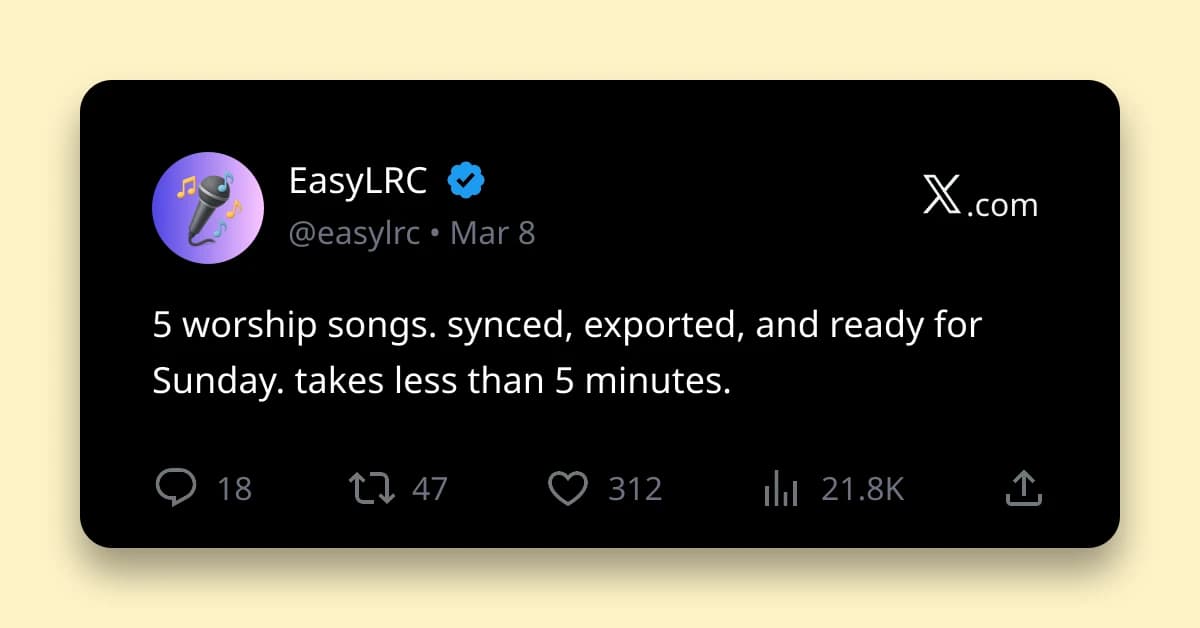
The full 5-song Sunday setlist, synced: under 5 minutes.
What EasyLRC Produces
When you process a worship audio file in EasyLRC, you get two export formats that cover the main church media use cases:
SRT file (for video and captions) An SRT file contains every lyric line with a precise start and end timestamp. This is the format used by YouTube, Vimeo, Facebook, and most video platforms for caption upload. It is also the standard format for adding timed captions to a video before export.
Enhanced LRC (for lyric display apps) Enhanced LRC provides word-level timing — each individual word is timestamped. This is used by music apps and lyric display systems that support karaoke-style word highlighting.
Both files export from a single sync job. You process the audio once and download whichever format you need — no reprocessing.
For a technical overview of SRT syntax, see our SRT format guide. For a full comparison of the two formats, read the LRC vs SRT comparison.
Ready to try it with your own file?
Upload audio, review the timing, and export the format you need.
How to Sync a Worship Song in 15 Seconds
Step 1: Get the audio file Download the studio version of the worship song. MP3, M4A, WAV, or FLAC all work. Studio versions transcribe more accurately than live service recordings — the clean vocal production that publishers like Elevation Worship, Hillsong, Bethel Music, and Passion Music use is ideal for AI transcription. Studio audio is available through music retailers, streaming download services, and backing track platforms like MultiTracks.com.
Step 2: Upload to EasyLRC Go to EasyLRC Upload. Drag and drop the audio file. Select the language (English, Spanish, Korean, Portuguese, or whichever applies to your congregation). Click Upload.
Step 3: Wait 14 seconds The AI processes a typical 4-minute worship song in about 14 seconds. You will see a progress bar. Do not close the tab.
Step 4: Review the sync The editor opens automatically. Press play and watch the lyrics highlight in time with the audio. Worship songs are generally clean studio recordings so accuracy is high — expect fewer than 5 corrections per song, usually on proper nouns or song-specific phrases.
Step 5: Export • Click Export → select SRT → download for YouTube captions and video use • Click Export again → select Enhanced LRC → download if you need word-level timing for a lyric display app
Both files export from the same job. No double processing.
New to EasyLRC? Try the free demo first.
YouTube Upload and Livestream Captions
Most churches upload Sunday recordings to YouTube. Adding an SRT subtitle file improves accessibility, watch time, and search ranking — YouTube indexes the text of closed captions, which means your worship videos can rank for the song title and lyric phrases in YouTube and Google search.
Adding SRT captions to a YouTube upload:
- Upload your service video to YouTube Studio
- Go to Subtitles in the left menu
- Click Add → Upload File → select your .srt file
- YouTube will match the SRT timestamps to the video timeline
- Review and publish
The SRT file from EasyLRC maps directly to the video timeline — each line appears at the exact second it is sung.
For Facebook video recordings:
Facebook supports SRT uploads for published videos. Go to the video in Meta Business Suite or Creator Studio, select Edit, navigate to the Captions tab, and upload the .srt file. Note that Facebook requires the filename to include a language tag (e.g. song-title.en_US.srt) — rename your file before uploading.
For livestreams: Auto-captions on YouTube Live and Facebook Live are available for English but have reduced accuracy for sung worship music. A better approach: process the studio audio the day before with EasyLRC, then upload the SRT file to the scheduled stream. This gives more accurate captions on the recording that gets saved to your channel.
Using the SRT Timestamps in ProPresenter and Other Projection Software
ProPresenter, EasyWorship, and similar church presentation tools handle lyric slides differently from each other, and their subtitle import capabilities vary by version. Rather than list menu paths that may differ from your setup, here is the approach that works regardless of which software you use:
Use the SRT file as an exact timing reference.
The SRT file EasyLRC produces contains a precise timestamp for every lyric line — down to the millisecond. When you open the file in a text editor, you can see exactly when each line starts:
00:00:14,200 --> 00:00:17,400
You are worthy of it all

00:00:17,800 --> 00:00:21,600
You are worthy of it all
This eliminates the need to listen through the song manually to find where each line begins. Copy the timestamps directly into your slide cues as you build the presentation. A 4-minute worship song with 30 lyric lines takes about 3 minutes to slot in, rather than 30+ minutes of manual audio scrubbing.
If your version of ProPresenter or EasyWorship does support direct SRT import, the file from EasyLRC is a standard SRT file and should import without modification. Check your software's current documentation for the exact import path — these menu structures change between major versions.
Multilingual Worship Congregations
Many churches serve multilingual congregations — English and Spanish, English and Korean, Portuguese and English. EasyLRC supports 99+ languages, making it practical to sync worship music in any language your congregation uses.
Languages commonly needed in worship: • Spanish — large congregations across Latin America and the US • Korean — significant Korean diaspora congregations globally • Portuguese — Brazil has one of the largest evangelical church communities in the world • Mandarin Chinese — significant in Southeast Asia, Canada, Australia • Tagalog / Filipino — large Filipino diaspora congregations • French — Sub-Saharan Africa and French-speaking communities • Arabic — growing Arabic-speaking church communities in the Middle East and diaspora
Workflow for bilingual services:
- Process the English audio → export SRT for English slides and YouTube
- Process the Spanish (or Korean, etc.) audio for the same song → export SRT
- Use both timestamp references to build the appropriate language presentation
For worship music recorded in one language, the AI handles the full sync in one pass — no manual timing needed regardless of the language.
Accuracy for Worship Music Specifically
Worship music has specific characteristics that affect transcription accuracy:
Why worship music transcribes well: • Studio recordings are typically clean with professional production • Vocal melodies are usually slower and more clearly enunciated than rap or fast pop • Lyrics are often repeated (choruses, bridges) — the AI sees the repetition and aligns it correctly • Songs from major publishers (Elevation, Hillsong, Bethel, Passion) are recorded with broadcast-quality vocals
Occasional challenges: • Call-and-response sections where a lead vocalist and choir alternate quickly • Songs with heavy reverb or atmospheric production (some contemporary worship styles) • Live recordings from services with congregation singing — studio version is always more accurate • Proper nouns: specific biblical names (Jehoshaphat, Zephaniah) or song titles may be phonetically transcribed incorrectly and need a quick manual correction
Accuracy expectation: For studio worship recordings in English, expect 96–99% accuracy. A 5-minute worship song will typically need 2–4 manual corrections in the editor — a 60-second review task.
Recommended Weekly Workflow for Sunday Services
Here is a sustainable weekly rhythm for a church media team using EasyLRC:
Monday: Confirm setlist Get the song list from worship leadership. Note any songs you have not processed before — new songs need a sync run, previously processed songs can be reused from your EasyLRC dashboard (files retained 30 days on paid tiers).
Tuesday–Wednesday: Source audio Download studio audio for any new songs from your music library, streaming download service, or backing track platform (MultiTracks.com is a common option for worship teams).
Thursday morning: Sync in EasyLRC (under 20 minutes for 5 songs) • Upload each new song (14 seconds each) • Review each sync in the editor (60 seconds each) • Export SRT for YouTube captions • Export SRT or use timestamps to build your projection slides
Friday: Test run Run through the service order with the synced presentations. If any timing needs adjustment, open the EasyLRC editor and re-download the corrected SRT.
Sunday → after service YouTube upload receives the pre-prepared SRT file for captions within minutes of the recording going live.
Time saved per week: Compared to manual timing (30–60 min per song), EasyLRC reduces per-song work to under 2 minutes. For a 5-song setlist, that is 2–4 hours saved every week.
Pricing for Church Media Teams
EasyLRC offers tiered pricing based on minutes of audio processed per month:
Free ($0/month): • 5 minutes of processing — roughly 1 worship song • Export formats: SRT, LRC, VTT, ASS, TTML, TXT • Good for: trying the tool with a single song before committing
Starter ($5/month): • 25 minutes of processing — roughly 5–6 worship songs • Everything in Free, plus Enhanced LRC export (word-level timing) • Instant exports (no countdown) • 30-day file retention • Good for: small churches with a consistent 4–5 song Sunday setlist where most songs repeat week to week
Creator ($9/month): • 80 minutes of processing — roughly 16–20 worship songs • 30-day file retention • Good for: mid-size churches processing songs for multiple services, special events, or building a library of synced songs over time
Premium ($19/month): • 250 minutes — roughly 50–60 worship songs • Good for: large churches with multiple campuses, multiple services, or frequent special events
For most churches with a 4–5 song Sunday setlist: Creator at $9/month covers roughly 4 weeks of new songs, with headroom for specials. Once you've synced a song, it stays in your dashboard for 30 days and can be re-exported without using quota.
See full pricing details.
Frequently Asked Questions
Can I use an SRT file from EasyLRC with ProPresenter?
Yes. The SRT file EasyLRC produces is a standard format containing precise timestamps for every lyric line. You can use it as an exact timing reference when building your ProPresenter slides — copy the timestamps directly into your slide cues without listening through the song by hand. Whether ProPresenter supports direct SRT import depends on your version; check Renewed Vision's current documentation for your specific setup.
Does EasyLRC work for worship music in languages other than English?
Yes. EasyLRC supports 99+ languages including Spanish, Korean, Portuguese, Mandarin Chinese, French, Tagalog, Arabic, and more. Select the language of the audio before processing. Many global churches use EasyLRC for multilingual worship services.
How accurate is AI transcription for worship songs?
For studio worship recordings, accuracy is typically 96–99%. Worship music from major publishers like Elevation Worship, Hillsong, Bethel Music, and Passion records in professional studio conditions, which is ideal for AI transcription. Expect 2–4 corrections per song in the editor — a quick 60-second review.
Can I use EasyLRC for live worship recordings from our Sunday service?
Yes, but studio versions of songs produce higher accuracy than live service recordings. Congregation singing, room reverb, and crowd noise reduce transcription accuracy. For best results, process the studio audio and use the resulting SRT as your projection reference and caption file. For post-service YouTube uploads you can also run the live recording through EasyLRC — accuracy will be lower but still useful for caption purposes.
How long does it take to sync a full Sunday setlist?
A 5-song Sunday setlist averaging 4.5 minutes per song takes roughly 70 seconds of total AI processing time (14 seconds per song). Add 60 seconds of manual review per song and you're under 10 minutes to have all 5 songs synced, reviewed, and exported.
What is the difference between SRT and Enhanced LRC for worship use?
SRT is used for video — YouTube captions, livestream recordings, and as a timing reference for slide building. Enhanced LRC is used for music apps and lyric display systems that support word-level karaoke-style highlighting. For most church media workflows you will primarily want SRT. If your church uses a dedicated lyric display app that supports Enhanced LRC, export both from the same EasyLRC job at no extra cost.
Can I add captions to our church YouTube channel using SRT from EasyLRC?
Yes. Export the SRT from EasyLRC, then go to YouTube Studio → your video → Subtitles → Add → Upload File and select the .srt file. YouTube indexes closed caption text for search, so adding accurate worship song captions helps your church videos rank for the song title and lyrics in YouTube and Google search.
Is EasyLRC a subscription or one-time purchase?
EasyLRC is a monthly subscription based on minutes of audio processed. The free tier includes 5 minutes per month at no cost. Paid tiers start at $5/month for 25 minutes and $9/month for 80 minutes. There are no per-export charges — export SRT, LRC, Enhanced LRC, and other formats as many times as you need from a processed job.
Ready to Sync Your Worship Songs?
Try EasyLRC free — process your first worship song in 14 seconds.